
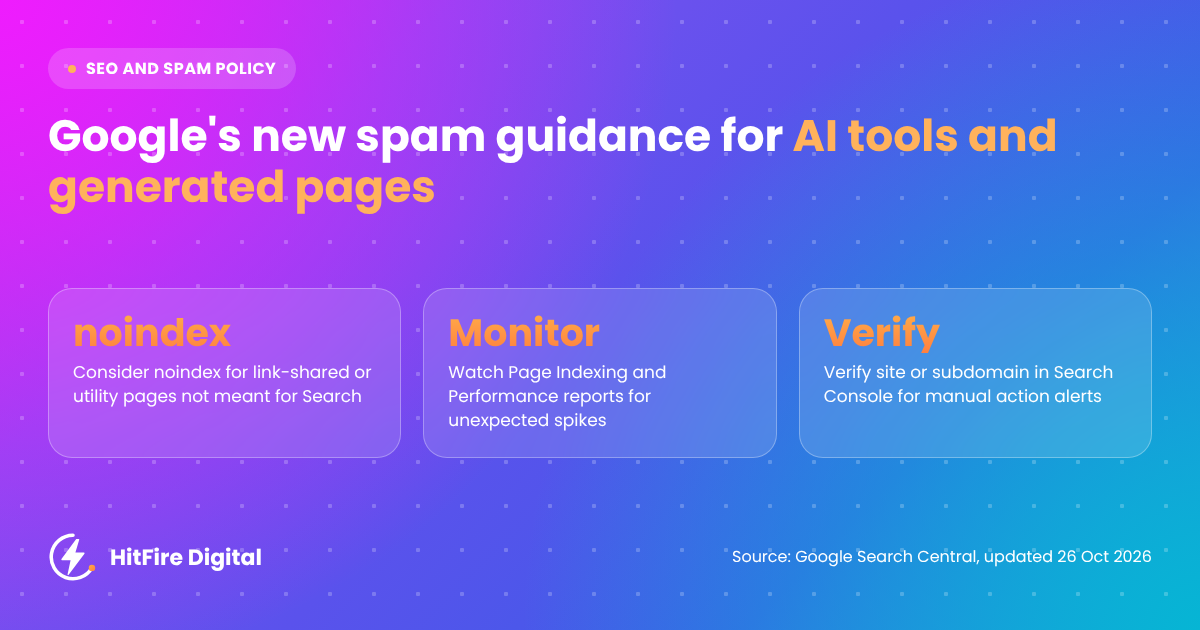
On 26 October 2026, Google Search Central expanded its guidance on preventing user-generated spam. The guidance no longer reads as if it is only about comment sections and forums. It now explicitly covers tools that let users publish shared pages, generated content, or web apps, and it asks platforms a direct question: is this content meant to be found in Search, or only by people who have the link?
If you run, build, or do SEO for any product with a “share”, “publish,” or “generate” button, this update applies to you. Below is what changed, who it affects, and the practical playbook I am using with clients to apply it without cutting off legitimate organic growth.
What Google changed on 26 October 2026
Google updated its help document “Prevent user-generated spam on your site and platform” and logged the change in the Search Central documentation updates log the same day. Three changes matter.
1. The scope now names AI-era tools
According to Google’s updated guidance, the spam concerns now apply to “hosting platforms and tools that let users publish shared pages, generated content, or web apps”. That is a deliberate widening. AI site builders, chat share links, generated reports, and user-built apps are now named in the same breath as comment spam.
2. A new section: “Only index content meant for Search”
Google asks platforms to consider whether content is “meant to be found through search engines or only accessed directly by people with a link.” Where content exists for sharing, collaboration or utility rather than public discovery, Google recommends applying a noindex rule or blocking crawling by default.
3. Search Console monitoring is now part of the guidance
Google recommends verifying your site or subdomain in Search Console so you receive manual action and security issue alerts, and regularly checking the Page Indexing and Search performance reports for unexpected growth in indexed pages, impressions, or queries.
As reported by Barry Schwartz at Search Engine Roundtable, Google framed the purpose as helping platforms keep user-created pages that are not meant for Search out of the index and detect spam earlier.
Who this applies to (it is wider than you think)
Most teams will read “user-generated spam” and think of forums. In practice, I would audit any product that creates public URLs without an editor reviewing them first. That includes:
- AI website, landing page, and app builders that host user creations on your domain or a subdomain
- Chat, prompt, or conversation share links
- Generated reports, audits, calculators and quiz results with public URLs
- Public dashboards, forms, boards and documents in SaaS products
- User profiles and portfolio pages
My view: any client that added a generative or sharing feature in 2025 or 2026 should be checked against this guidance now. These features tend to ship fast, often with indexable URLs by default, and nobody on the SEO side is asked first.
The indexing decision framework
Google’s test is simple to state and harder to apply at scale. Here is how I turn it into a decision per URL pattern rather than per page.
Step 1: Classify every surface
List each feature that creates a public URL and put it in one of two buckets: meant for Search, or meant for direct access by link. Most share links, generated outputs and utility pages belong in the second bucket. Be honest here. “It might rank” is not the same as “it was built for searchers”.
Step 2: Default to noindex for link-access content
For anything in the link-access bucket, apply noindex or block crawling by default, as Google recommends. Pick one method per URL pattern. If you rely on noindex, robots.txt must not also block those URLs, because Google has to crawl a page to see its noindex rule. Remove these patterns from your XML sitemaps as well.
Step 3: Make indexing an opt-in, not a default
Some user or AI-generated pages genuinely deserve to be found: a reviewed template gallery, a curated showcase, a public profile with real substance. My recommendation is to give these an explicit opt-in route, with quality criteria and a review step, so indexing becomes a decision someone made rather than a side effect of shipping.
Step 4: Think about where user content lives
In my experience, moving user content to a separate subdomain does not remove the need for this work, and Google’s guidance explicitly mentions verifying your site or subdomain. Whatever the architecture, make sure every host that serves user content is verified and monitored.
Monitoring in Search Console
Google’s monitoring advice is short. Here is how to make it operational.
- Verify the main domain and every subdomain that hosts user content, so manual action and security issue alerts reach you.
- Check that alert emails go to someone with the authority to act, not an unmonitored inbox.
- Record a baseline: indexed pages, impressions, and top queries for each user content path.
- Review the Page Indexing report weekly for unexpected growth in indexed pages.
- Review the Search performance report for impressions or queries that do not fit the platform’s purpose. Spam terms showing up against share URLs are an early warning sign.
- Agree on an owner and a response process before you need one.
Building an automated early-warning workflow in n8n
Weekly manual checks are fine for one site. Across a client portfolio, I automate the first pass in n8n. One practical constraint shapes the design: the Search Console API does not expose the Page Indexing report itself. It does expose Search Analytics data and the URL Inspection tool, so the workflow uses those as signals and keeps the Page Indexing report as the manual confirmation step.
- Schedule Trigger: run daily or weekly. If you are moving to n8n 3.0, note that the Cron and Interval nodes are replaced by the Schedule Trigger.
- HTTP Request with Google OAuth2: query Search Analytics by page, filtered to user content URL patterns, and count pages with impressions.
- Compare against the stored baseline (a Supabase table or n8n Data Table works well) and flag spikes above an agreed threshold.
- Query check: pull top queries for user content paths and flag terms from a spam pattern list.
- Optional: run URL Inspection on a small sample of flagged URLs to confirm index status.
- Alert: send a summary to Slack or email with links to the relevant Search Console reports for manual review.
The goal is not to replace the Page Indexing report. It is to make sure someone looks at it on the day a problem starts, not a month later.
Why this matters for AI visibility too
This part is my professional opinion rather than anything Google has stated. AI search experiences draw on the same web index and the same signals about what a site is and what it is trustworthy for. A domain carrying thousands of thin, spammy, or off-topic user pages sends a muddier message about its purpose than one with a clean, deliberate index.
For GEO work, I treat index hygiene as foundational. Clear entity and topical signals are easier to earn when the index reflects what the business actually wants to be known for. Cleaning up user-generated sprawl is one of the less glamorous ways to support that.
Frequently asked questions
Does Google’s update mean user-generated or AI-generated content is spam?
No. The guidance aims to prevent abuse and decide what belongs in the index. It asks platforms to separate content meant for public discovery from content meant only for people with a link.
Should all share links be noindexed?
Google recommends noindex or blocking crawling by default for content meant for sharing, collaboration, or utility rather than public search. Pages you deliberately want found can be opted in.
What should I monitor in Search Console?
Google recommends verifying your site or subdomain for manual action and security issue alerts, and checking the Page Indexing and Search performance reports for unexpected growth in indexed pages, impressions, or queries.
Next steps
Start with an inventory. You cannot make an indexing decision about a surface you do not know exists. Then classify, apply defaults, verify every host, and put monitoring on a schedule.
I have put the full process into a printable checklist: the User-Generated and AI-Generated Content Indexing Audit. If you want a second pair of eyes on your platform, contact Hitfire Digital.